Building Workflows
Overview
Workflows let you chain MCP tool calls into repeatable, parameterised sequences. Define the steps once, run them on demand, track history, and even load-test your server with concurrent executions.
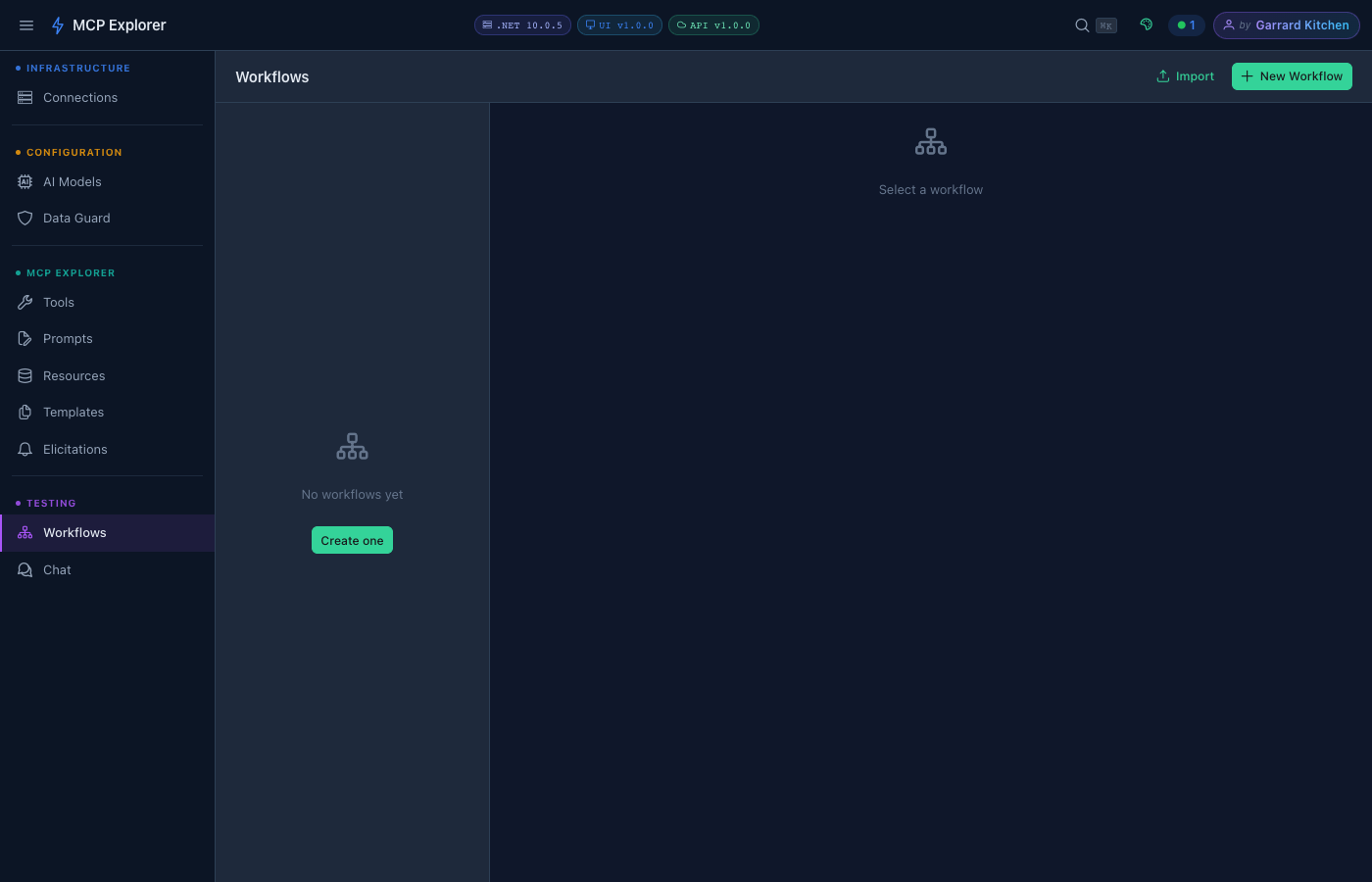
The Workflows list. Click New Workflow to create your first workflow, or Import to load one from a JSON file.
Creating a Workflow — Step-by-Step Example
The walkthrough below creates an Echo and Lookup workflow that:
- Prompts for a name at runtime using the
aaa_echotool - Passes the echoed value into the
who_istool to look up that person
Step 1 — Name your workflow
Click New Workflow, enter a name, then click Add Step.
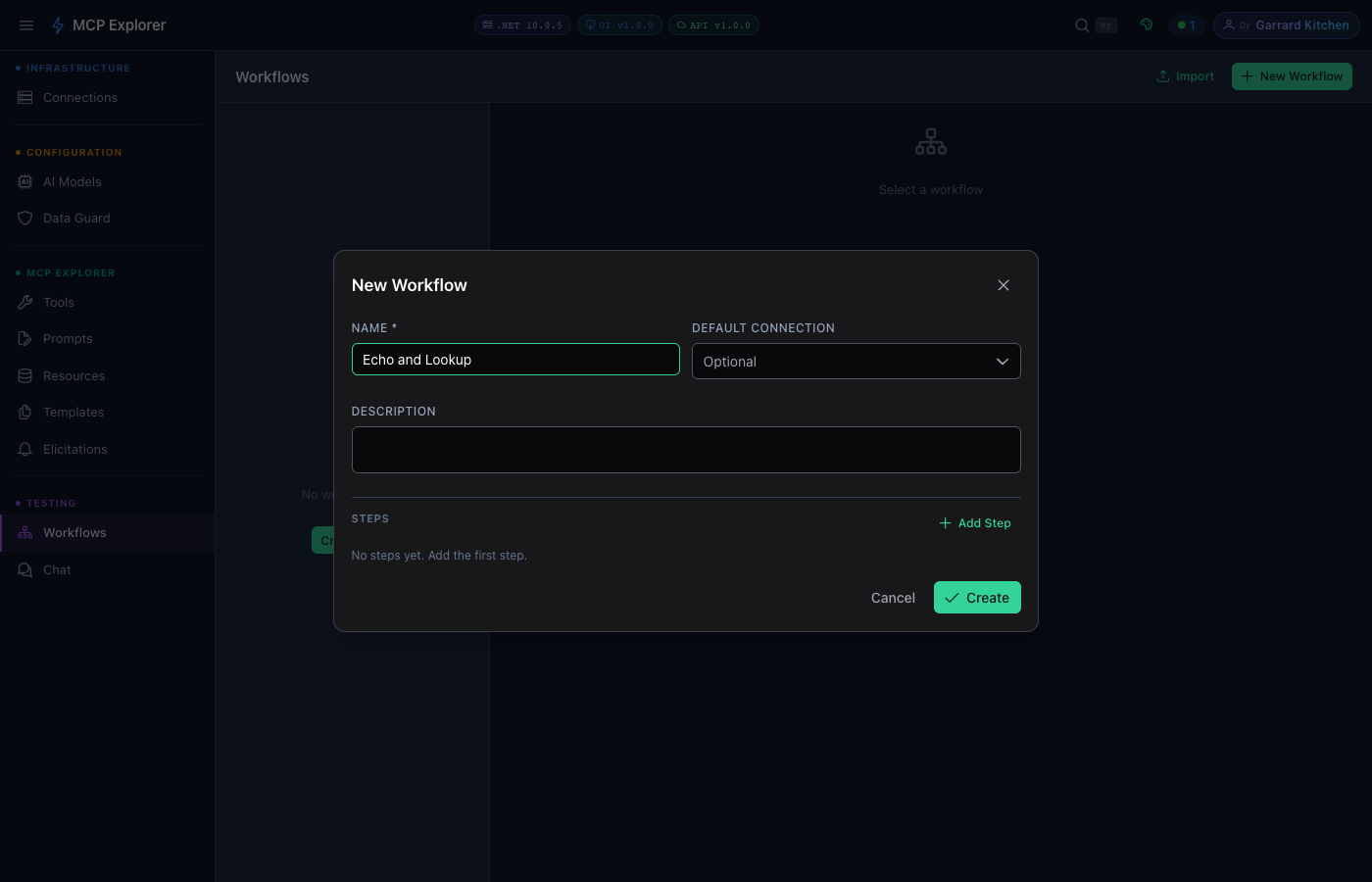
Give the workflow a clear name. You can also set a default connection to avoid selecting it every time you run.
Step 2 — Configure Step 1 (aaa_echo)
Select the connection (mcp server) and enter aaa_echo as the tool name.
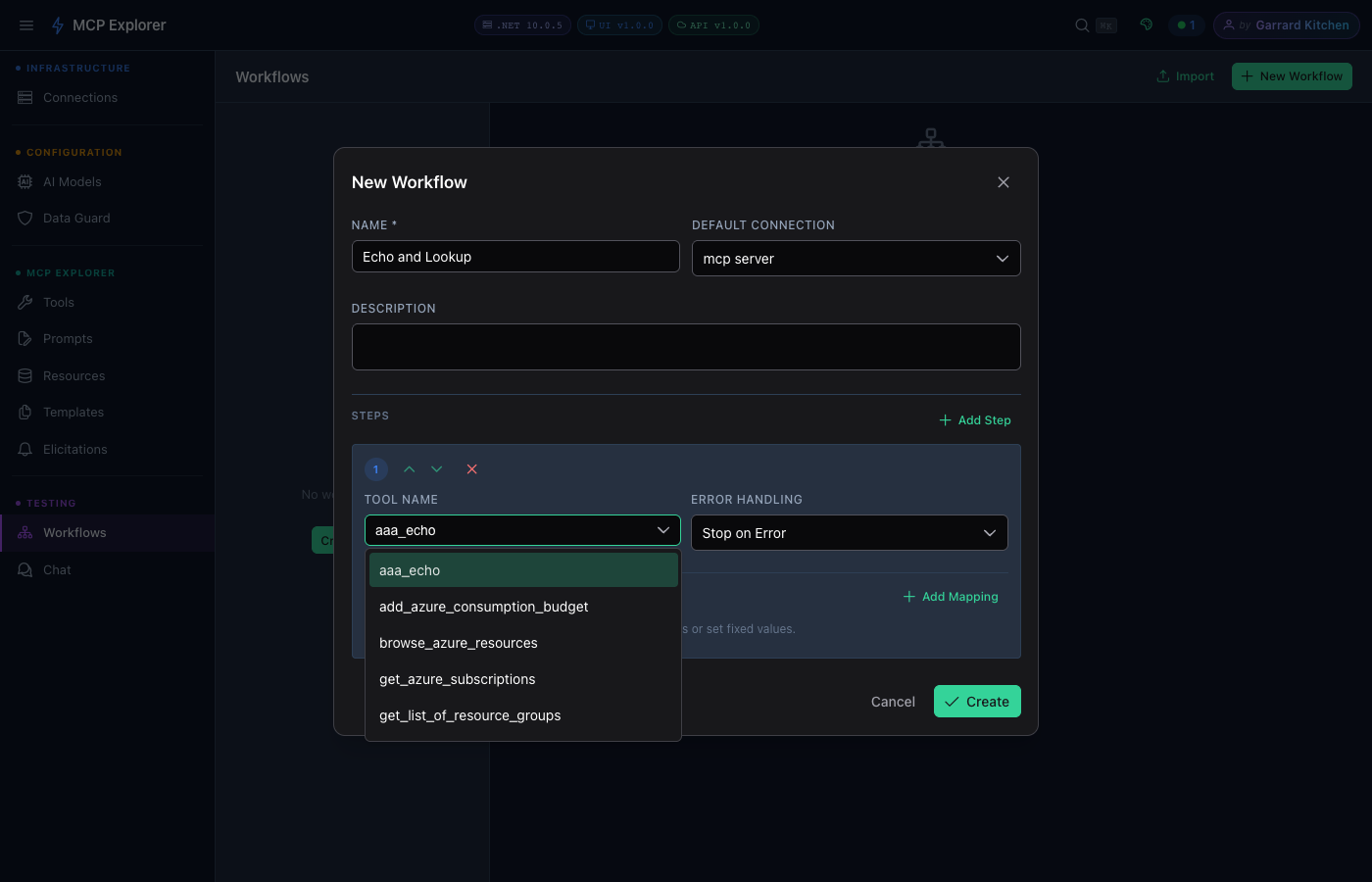
Step 1 uses the mcp server connection and the aaa_echo tool.
Step 3 — Add a Prompt at Runtime mapping
Click Add Mapping, set the Parameter to echo, and change the Source to Prompt at Runtime. This tells the workflow to ask for the value each time it executes.
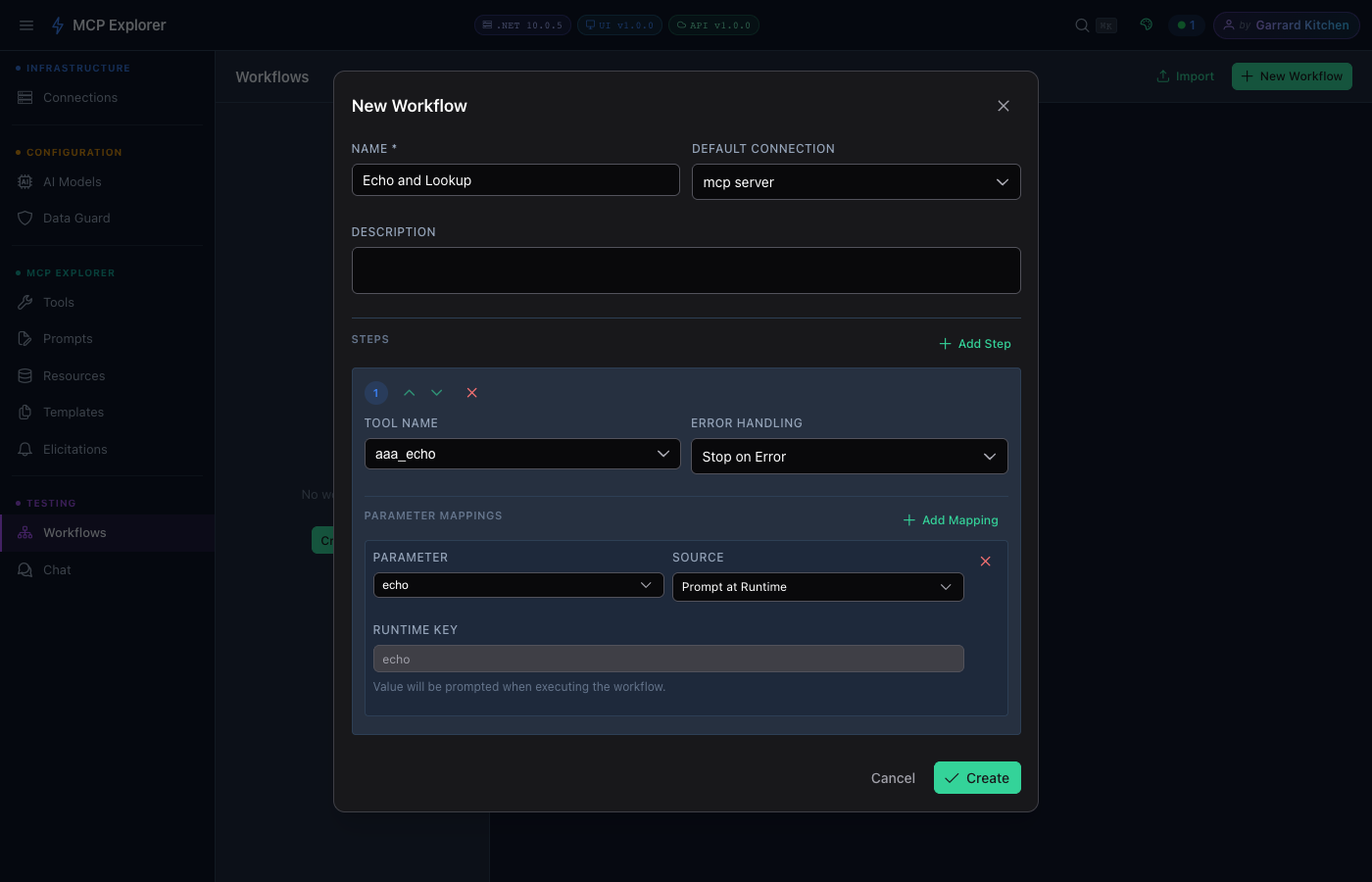
The echo parameter is set to Prompt at Runtime — the workflow will pop up a dialog asking for this value before executing.
Step 4 — Configure Step 2 (who_is)
Click Add Step, select mcp server and enter who_is as the tool. Then click Add Mapping and set fullname as the parameter with source From Previous Step.
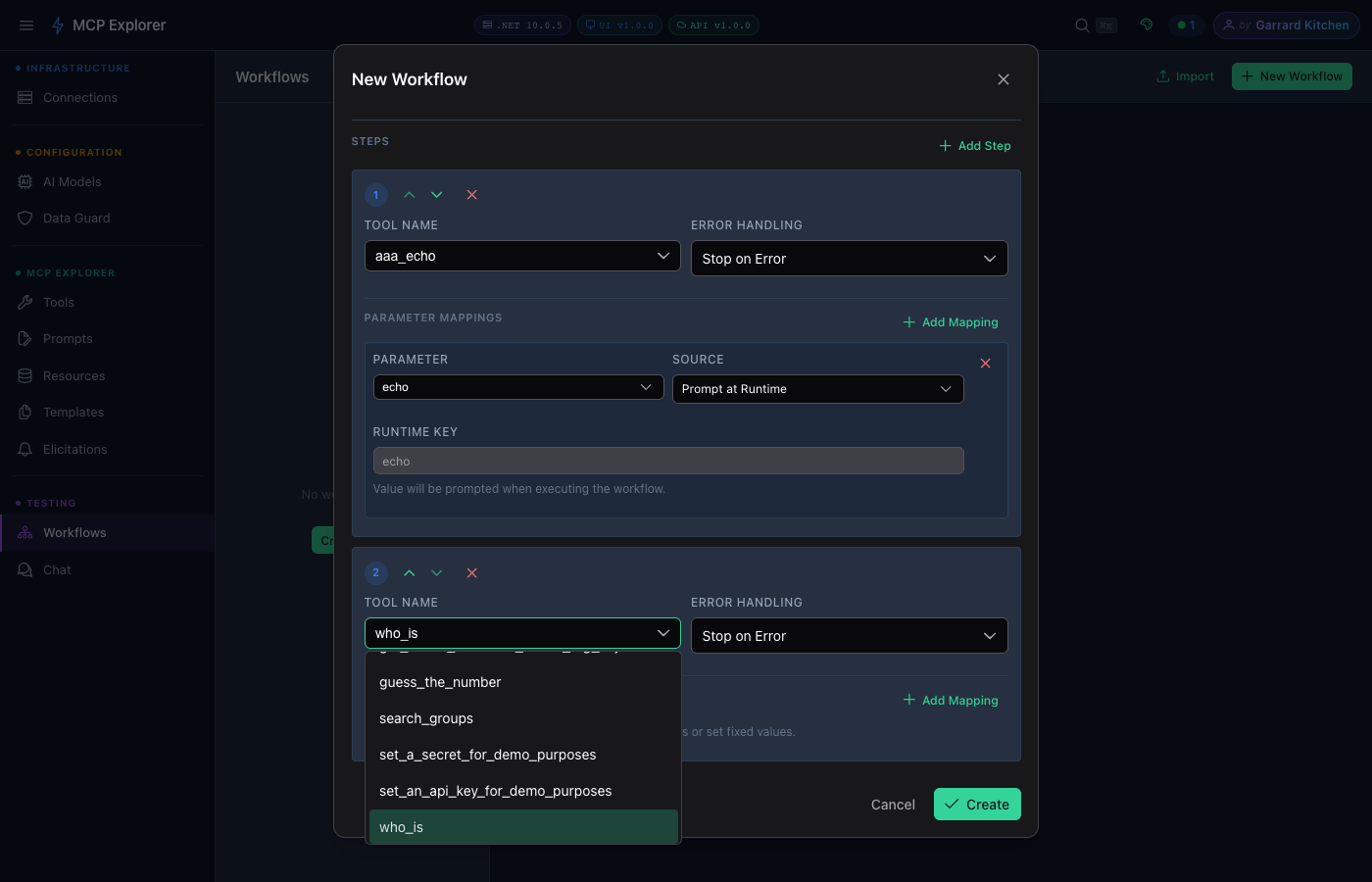
Step 2 uses the who_is tool to look up information.
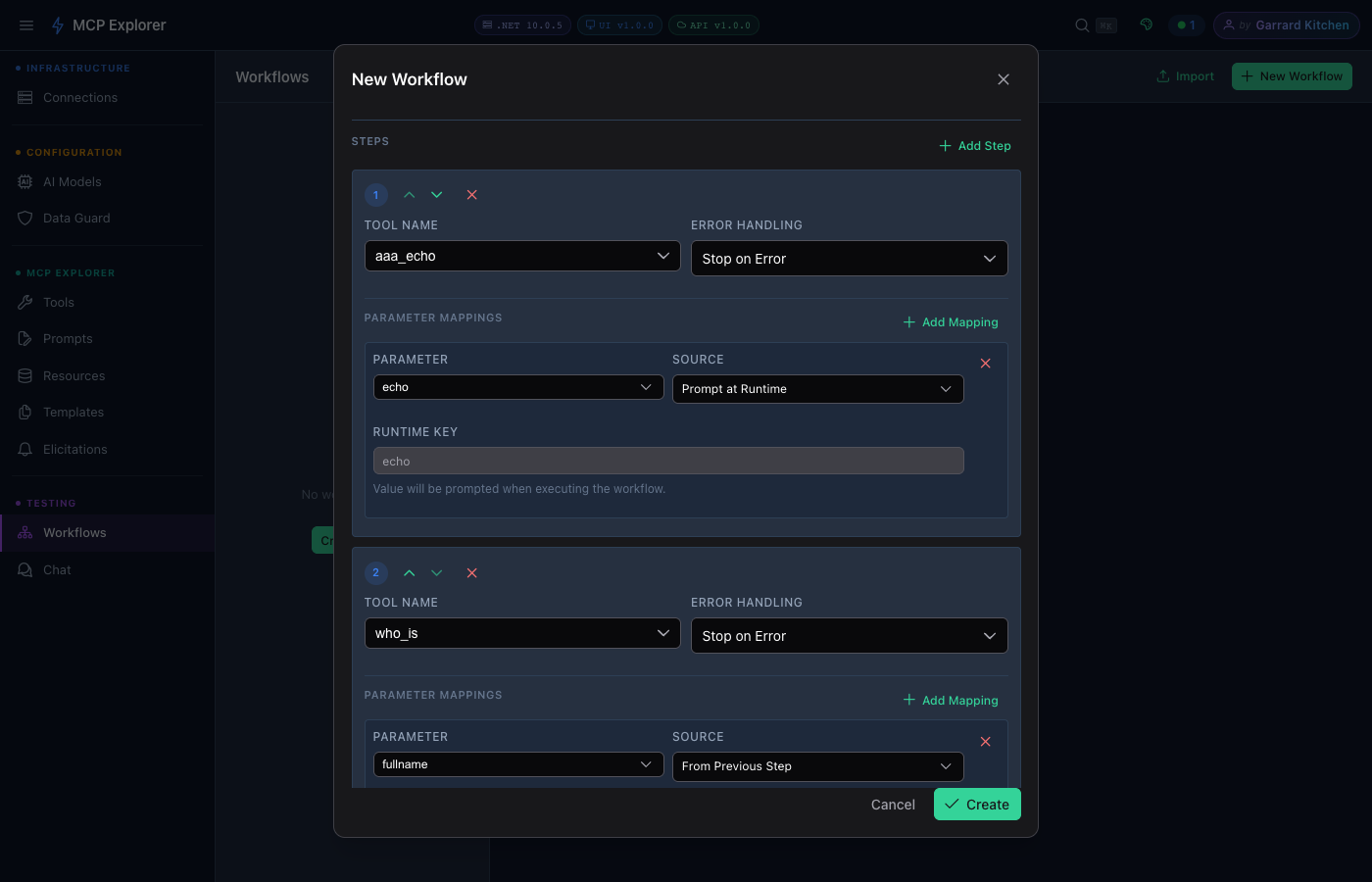
The fullname parameter is mapped From Previous Step — it will automatically receive the output of aaa_echo as its input.
Step 5 — Save and view the workflow
Click Create. The workflow appears in the left sidebar showing its step count.
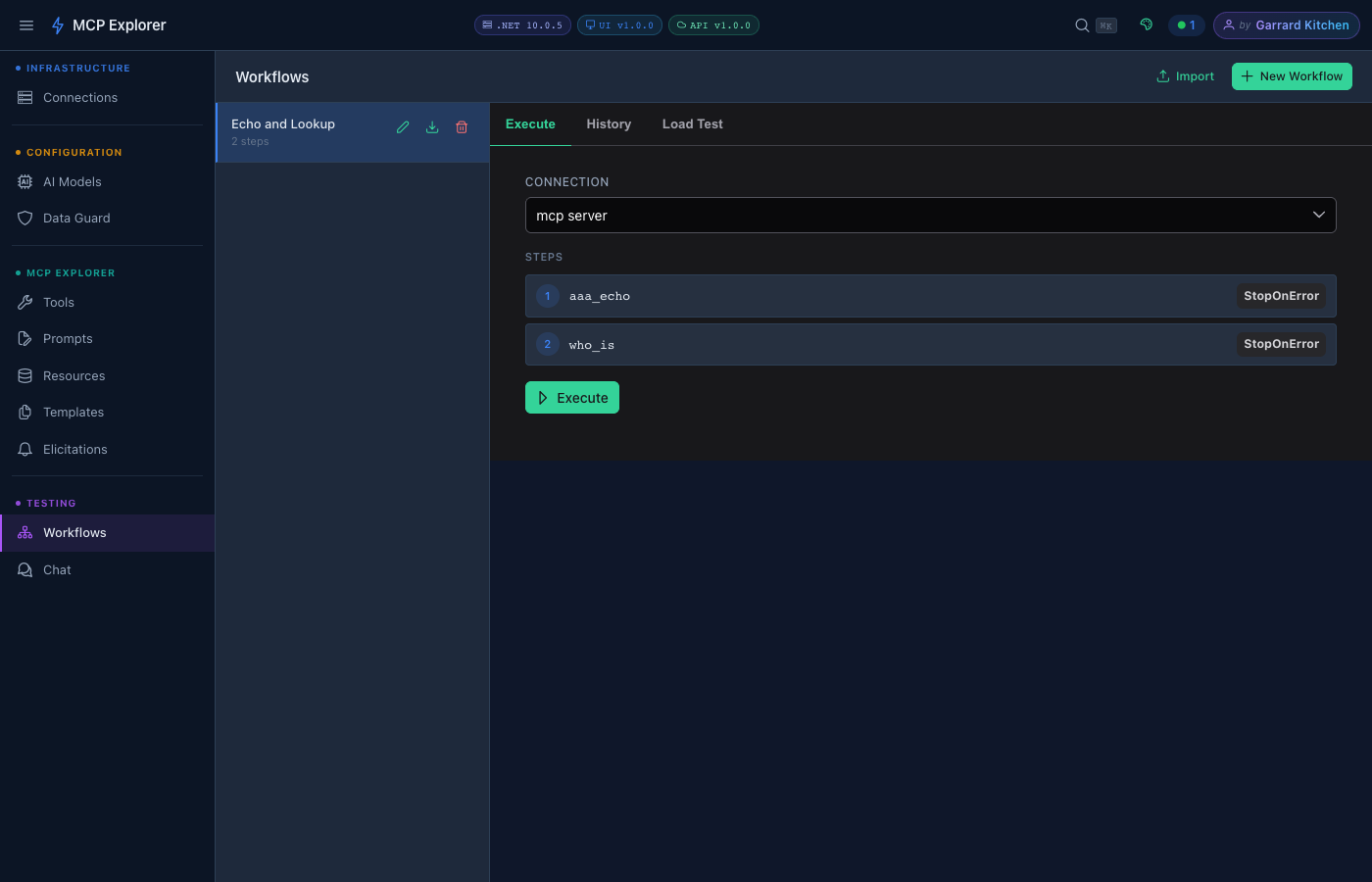
The saved workflow with both steps listed. Click Execute to run it.
Running a Workflow
Click Execute. If any step has a Prompt at Runtime parameter, a dialog appears asking for those values before execution starts.
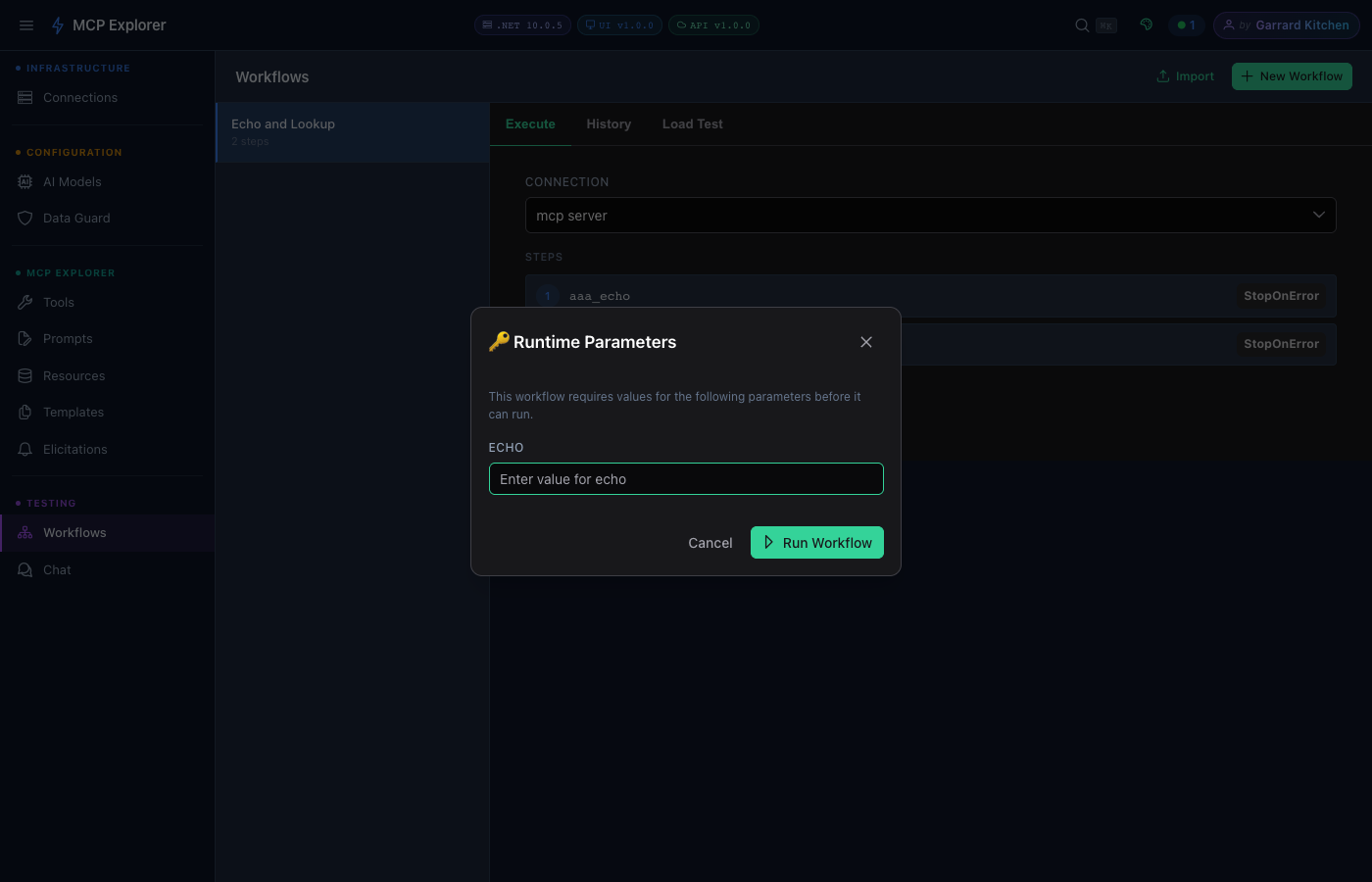
The Runtime Parameters dialog collects any values marked as “Prompt at Runtime” before the workflow begins.
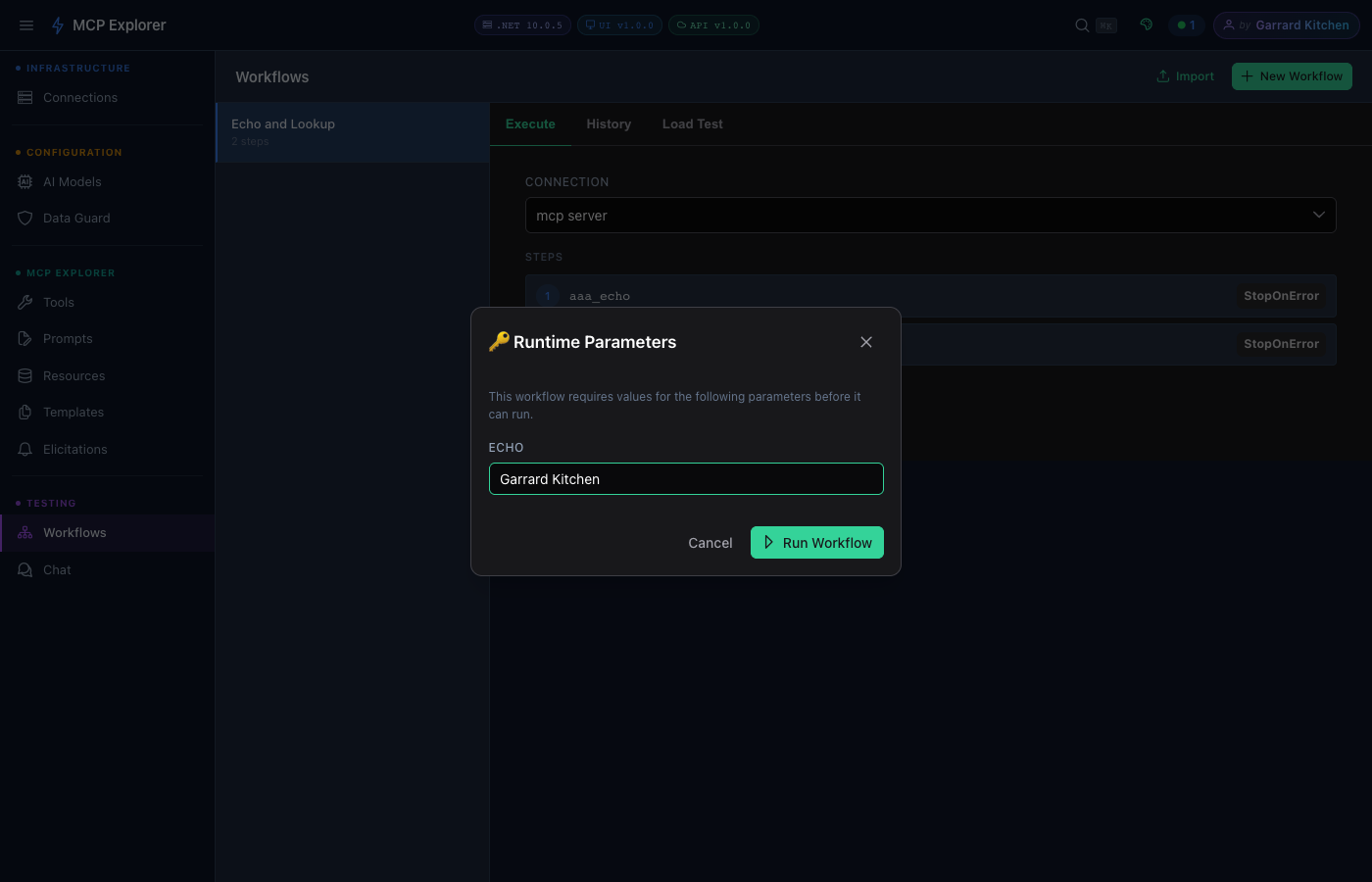
Enter the runtime value — here “Garrard Kitchen” — then click Run Workflow.
The execution panel shows real-time step progress and results:
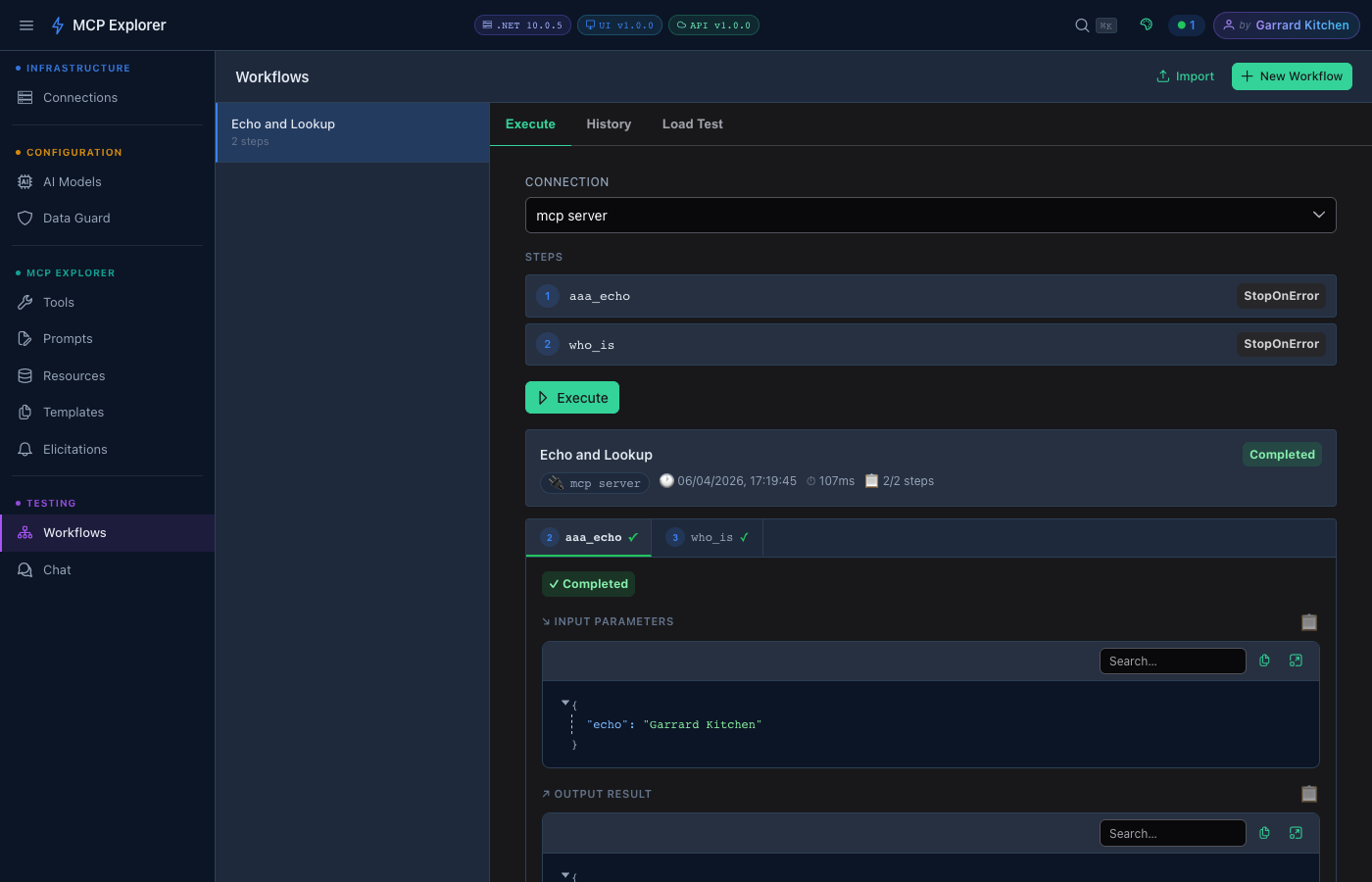
Both steps completed ✓ in 107ms. Step 1 echoed “Garrard Kitchen” and Step 2 received that output as the fullname input — showing the full data pipeline in action.
Parameter Mapping Sources
Each step mapping can draw its value from one of three sources:
| Source | Description |
|---|---|
| Manual Value | A fixed static value set at design time |
| From Previous Step | The output of an earlier step (auto-selects the immediately preceding step) |
| Prompt at Runtime | User is prompted for this value each time the workflow is executed |
Running a Workflow
Click Execute on the workflow detail view. For workflows with Prompt at Runtime parameters, a dialog collects the values before execution begins. The panel then shows real-time step progress, input/output per step, and total duration.
Execution History
Every workflow run is saved automatically. Click History to view past runs including timestamps, duration, and per-step status.
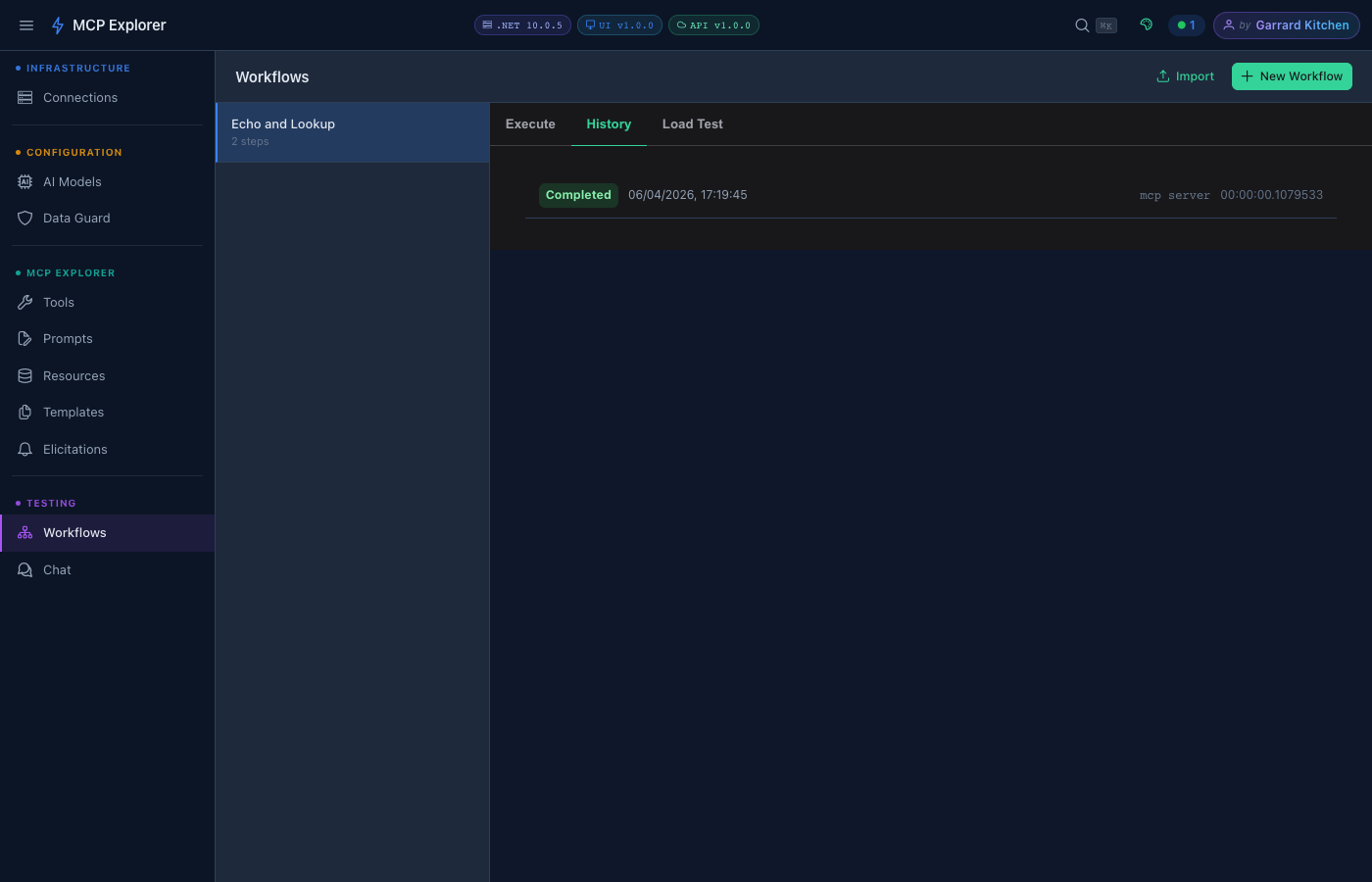
The history panel lists every execution. Click any run to expand the full step-by-step input/output detail.
You can delete individual runs from the history with a confirmation dialog.
Import & Export
Workflows can be exported to a JSON file and imported — useful for sharing workflow templates with a team or backing up your work.
- Export: Click the Export button on the workflows list
- Import: Click Import and select a
.jsonfile
Load Testing
For each workflow you can run a load test — execute the workflow N times concurrently to stress-test your MCP server:
- Open a workflow
- Click Load Test
- Set the number of concurrent runs and total iterations
- Click Start — results show success rate, average duration, and errors
Workflow Tips
- Use workflows to automate repetitive MCP exploration tasks
- Combine a search tool with a summarisation prompt for quick research pipelines
- Use load testing to find throughput limits before deploying to production