Data Guard
Overview
Data Guard is MCP Explorer’s built-in sensitive data protection layer. It intercepts all MCP communications — tool inputs, tool outputs, prompt content, and chat messages — and automatically detects, masks, and protects sensitive values before they appear in the UI or are stored.
Detection uses three complementary engines that run in combination:
| Engine | Always on? | Description |
|---|---|---|
| Regex patterns | ✅ Yes | Detects common secret formats: API keys, bearer tokens, passwords, connection strings |
| Heuristic scanning | ✅ Yes | Flags high-entropy alphanumeric tokens that look like secrets |
| AI detection | ⚙️ Optional | Uses an LLM to analyse values in context — catches secrets that evade pattern matching |
Detected values are masked as ●●●●●●●● in the UI with a reveal toggle, and are encrypted at rest.
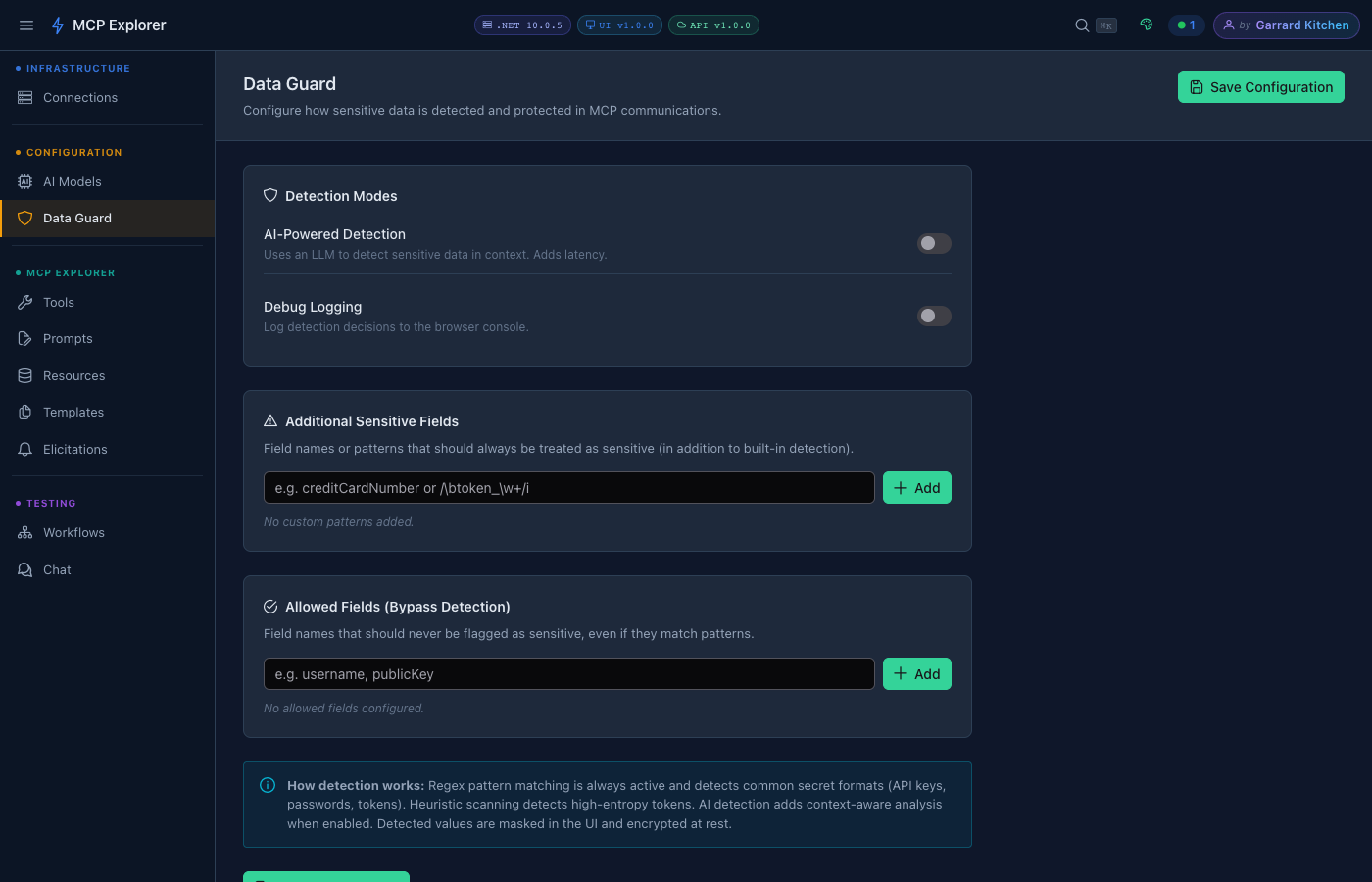
The Data Guard configuration page. Regex and heuristic detection are always active — AI detection and custom patterns are optional add-ons.
Detection Modes
Regex & Heuristic Detection
Always active. No configuration required. Covers:
- API keys (
sk-...,Bearer ...,AIza..., etc.) - Passwords in key=value pairs
- Connection strings containing credentials
- High-entropy tokens (random-looking alphanumeric strings above a length threshold)
AI-Powered Detection
Enable AI-Powered Detection to add a context-aware layer on top of pattern matching. The LLM analyses each value in the context of its field name and surrounding data — catching secrets that have non-standard formats or names.
Note: AI detection adds latency to every MCP response. Enable it when you need maximum coverage and can tolerate a small delay.
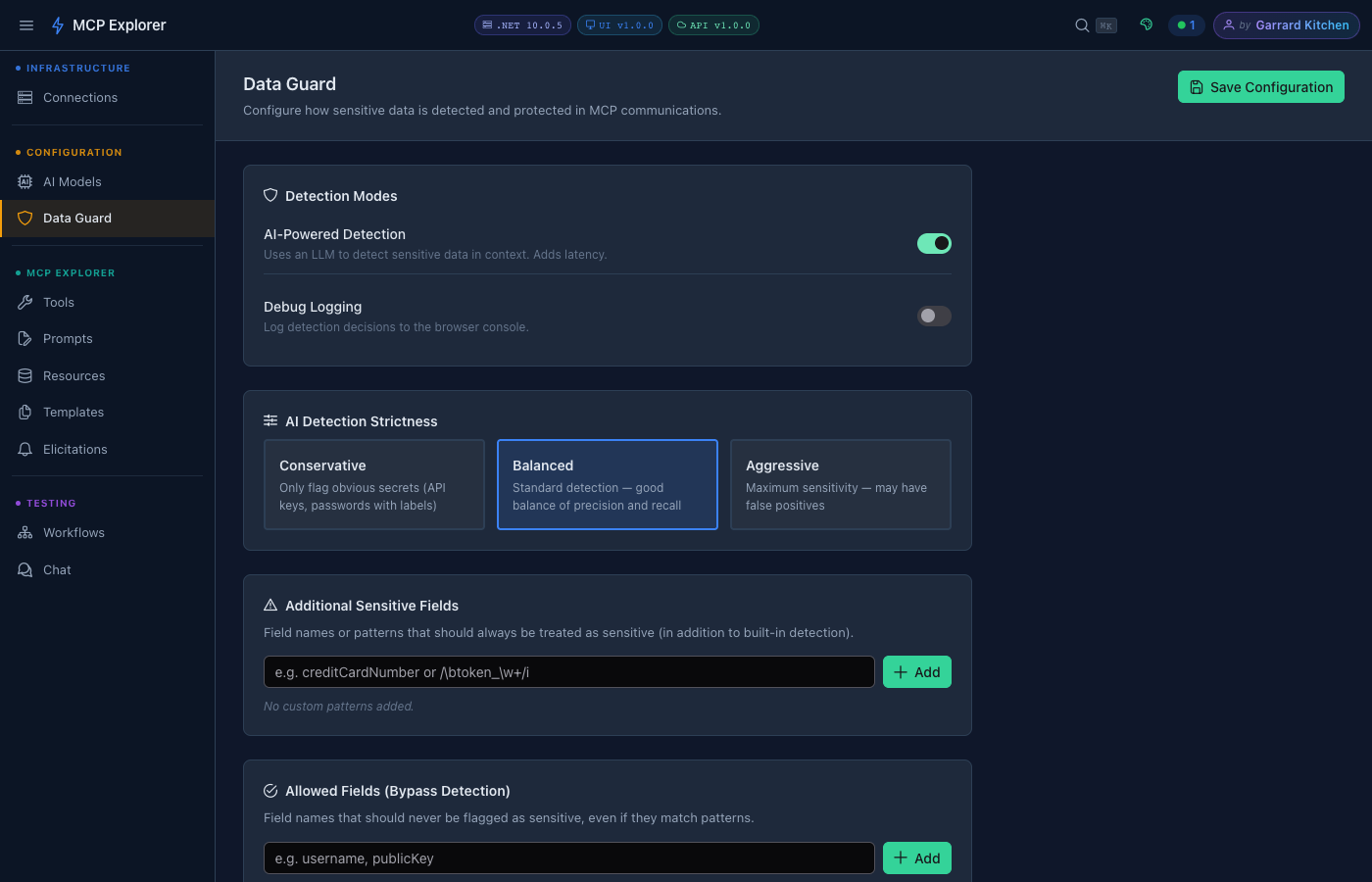
Enabling AI detection reveals the Strictness selector. Choose the level that balances coverage against false positives for your use case.
When AI detection is on, choose a strictness level:
| Level | Behaviour |
|---|---|
| Conservative | Only flag obvious secrets — API keys, passwords with clear labels. Lowest false-positive rate. |
| Balanced | Standard detection — good balance of precision and recall. Recommended default. |
| Aggressive | Maximum sensitivity. May flag some non-secret values. Use when data leakage risk is highest. |
Additional Sensitive Fields
Add custom field names or regex patterns that should always be treated as sensitive, regardless of value. Useful for domain-specific fields your organisation uses (e.g. employeeId, nationalInsuranceNumber).
Accepted formats:
- Plain field name:
creditCardNumber - Regex pattern:
/\btoken_\w+/i
Type the value and press Enter or click Add. Each entry appears as a removable tag.
Allowed Fields (Bypass Detection)
Whitelist specific field names that should never be flagged, even if their values match detection rules. Useful for fields that look like secrets but are not — e.g. publicKey, exampleToken.
Debug Logging
Enable Debug Logging to write detection decisions to the browser console. Each masked value logs which engine detected it and why. Useful when tuning custom patterns or diagnosing false positives.
How Masking Works
- A tool result or chat message arrives from an MCP server
- Each field value passes through regex → heuristic → (optionally) AI detection
- Any flagged value is replaced with
●●●●●●●●in the rendered UI - A 👁 reveal toggle lets you temporarily unmask values for inspection
- Masked values are stored encrypted — they are never written as plaintext
This pipeline applies to:
- Tool call inputs (your parameters)
- Tool call outputs (server responses)
- Prompt template arguments
- Chat messages and responses