Configuring Models
Overview
The Models page is where you configure the LLMs that power the Chat view. MCP Explorer supports any OpenAI-compatible API endpoint.
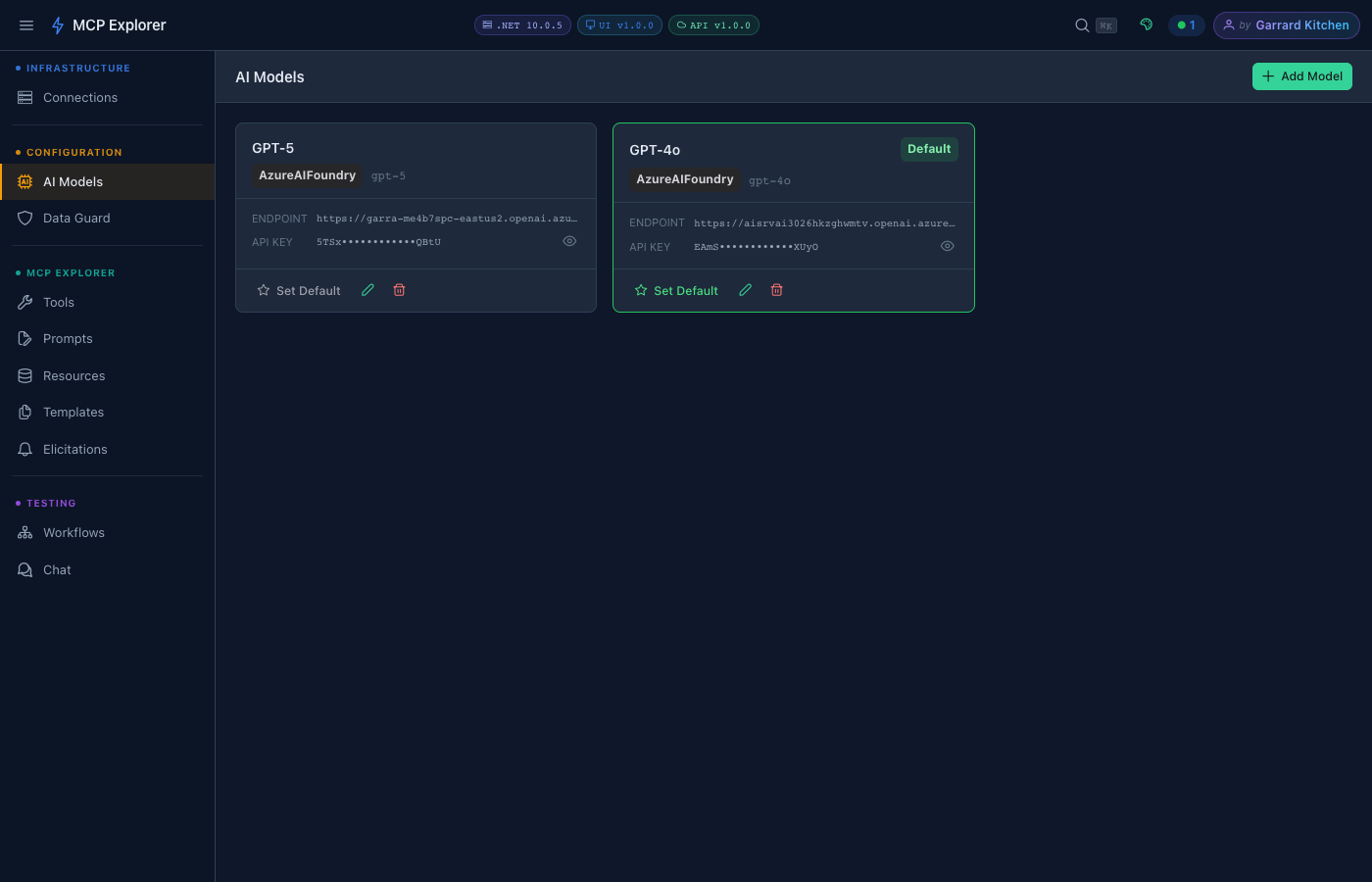
The AI Models page lists all configured LLMs. Each entry shows its friendly name, provider badge (e.g. AzureAIFoundry), model ID, endpoint URL, and masked API key. The default model is highlighted — it is pre-selected in the Send to LLM picker.
Supported Providers
| Provider | Transport | Notes |
|---|---|---|
| OpenAI | HTTPS | GPT-4o, GPT-4, GPT-3.5 |
| Azure OpenAI | HTTPS | Requires deployment name + API version |
| Azure AI Foundry | HTTPS | Supports Phi, Llama, Mistral, and other hosted models |
| Ollama | HTTP (local) | Any locally running model |
| LM Studio | HTTP (local) | OpenAI-compatible endpoint |
| Any OpenAI-compatible API | HTTPS/HTTP | Custom base URL |
Adding a Model
- Click Add Model
- Select the Provider from the dropdown
- Fill in:
- Name — a friendly display name (editable after saving)
- Base URL — the API endpoint
- API Key — click the 👁 eye icon to reveal / hide
- Model ID — the model identifier (e.g.
gpt-4o,llama3.2) - Deployment name (Azure only)
- API Version (Azure only)
- Click Save
Editing a Model
Click the pencil icon on any model row. All fields are editable including the name. The provider dropdown updates the form to show the relevant fields.
Show / Hide API Keys
API key fields have an eye icon (👁) toggle. Click it to reveal the key temporarily — useful when verifying you’ve entered the correct value.
Deleting a Model
Click the trash icon and confirm. Any Chat sessions using this model will lose their model selection.
Selecting a Model in Chat
Once configured, models appear in the Model dropdown in the Chat view. Select any model to use it for the current conversation.
Azure AI Foundry
When selecting Azure AI Foundry as the provider, additional fields appear:
- Endpoint URL — your Foundry project endpoint (e.g.
https://your-project.services.ai.azure.com) - Deployment Name — the model deployment name in your Foundry project
- API Key — your Azure AI Foundry API key
info: Ensure your Foundry deployment is active before connecting from Chat.