Renewal & Monitoring
Expiry monitoring
A background monitor checks the certificate store on startup and every 12 hours:
- Certificates expiring within 30 days (or already expired) raise toasts on app start and a topbar badge that links straight to the Certificates page.
- The Certificates page shows the same states as tags: Valid · 214d, Expiring · 12d, Expired · 3d ago.
- The startup pass also best-effort verifies uploads against Azure and flags stale key credentials (see below). Offline or not signed in? The check is skipped silently — it never blocks startup.
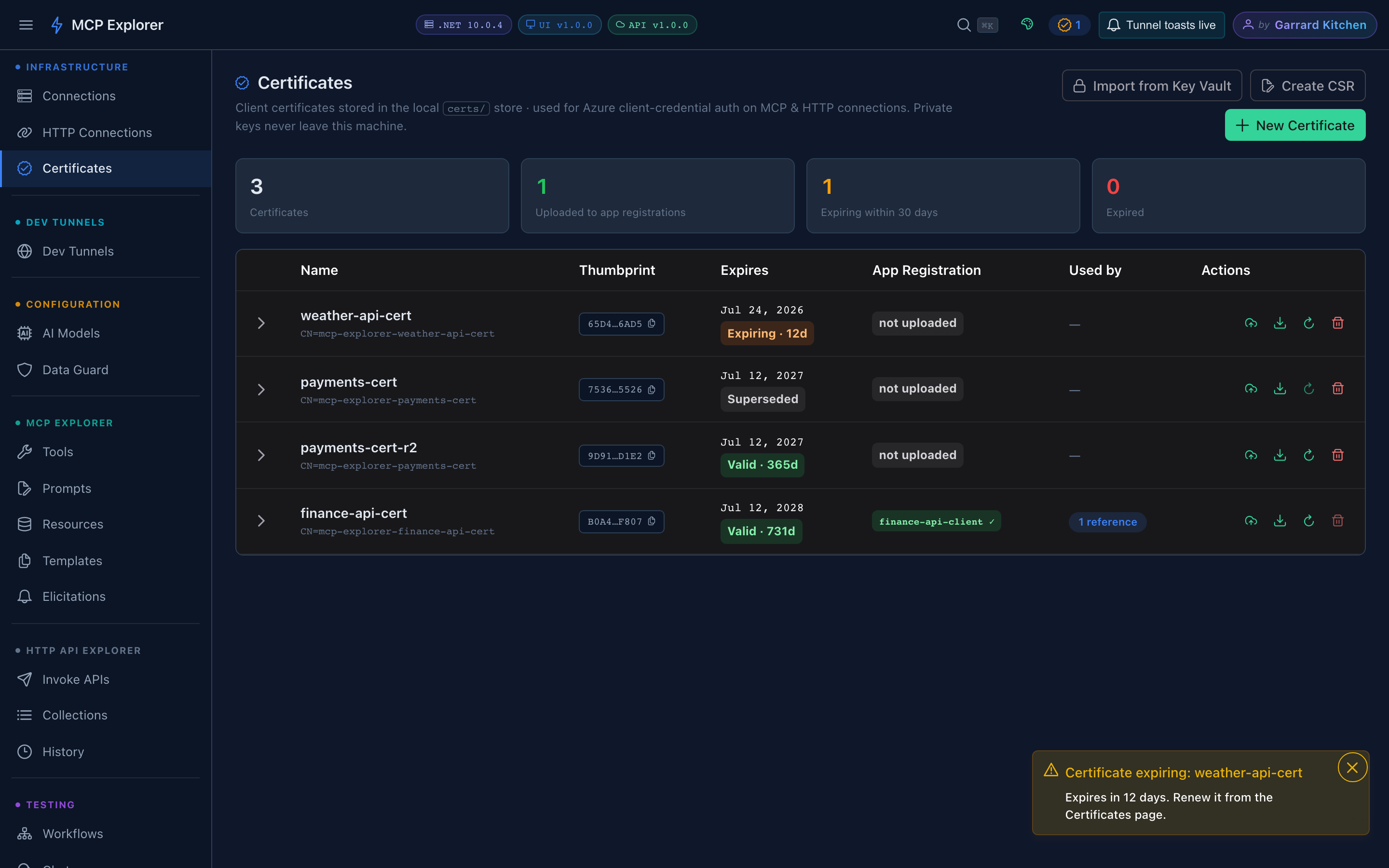
An expiring certificate: amber tag in the table and a topbar badge that links to this page.
The latest snapshot is also available at GET /api/v1/certificates/notifications.
One-click renew & rotate
Certificate rotation is normally a multi-step chore: make a new cert, upload it, update every consumer, clean up the old credential. Renew & re-upload (row action ↻ or the detail-row button) does it in one operation:
- Generate a successor — same subject and key size; validity matched to the original; the name gains a suffix (
finance-api-cert→finance-api-cert-r2). - Upload it to every app registration the old certificate was uploaded to.
- Repoint every MCP connection and HTTP API definition that referenced the old certificate.
- Optionally remove the old key credentials from Azure (checkbox).
- Mark the old certificate Superseded (kept on disk until you delete it).
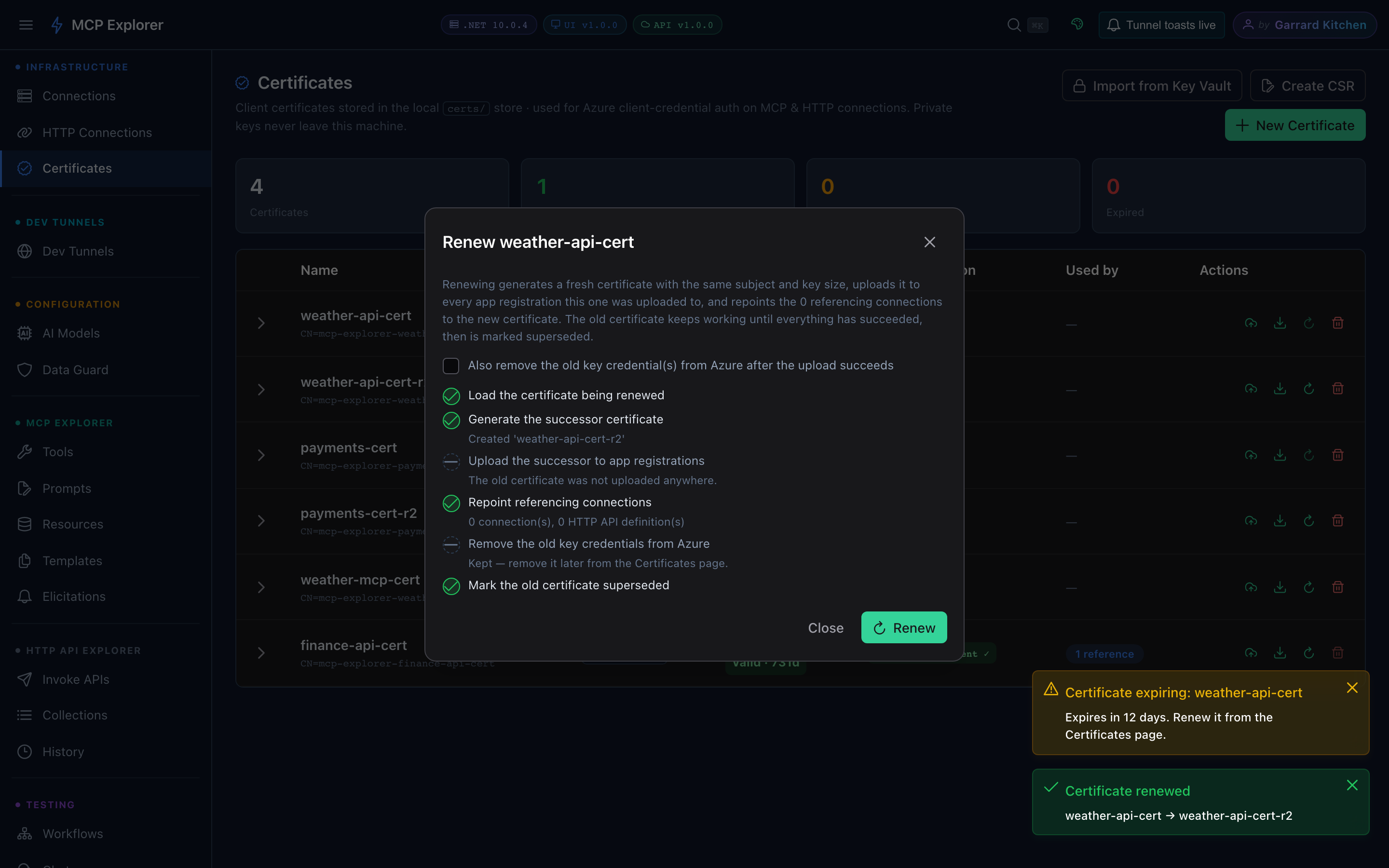
A completed renewal — the step order guarantees the old certificate keeps working until everything has succeeded.
The ordering is deliberate: if any upload fails, connections are not repointed and the old certificate remains active and untouched — a partial failure never breaks a working connection.
Stale key-credential cleanup
Every credential Azure holds for an app registration is a valid way to mint tokens, so unused ones should be pruned. Manage (next to any uploaded app registration in the detail row) lists all certificate key credentials on that app registration. An entry is flagged stale when nothing uses it any more, with the reason spelled out:
Stale · superseded by finance-api-cert-r2— its local certificate was replaced by a renewal. The credential’s expiry date may still be a year away; stale means unused, not expiring.Stale · expired 2026-03-14— past its end date in Azure.
Remove stale entries individually with the per-row delete (confirmation required). Removals also tidy the matching local upload records.
Audit log
Every certificate operation — create, upload, renew, supersede, delete, PFX export, Key Vault import/export, CSR — is appended to certs/audit.jsonl with a timestamp and details. Read it via GET /api/v1/certificates/audit?name=&limit= or straight off disk.