Explore MCP Servers
Like a Pro
Browse tools, run prompts, inspect resources, and chat with LLMs — all over live MCP connections. The complete developer workbench for the Model Context Protocol.
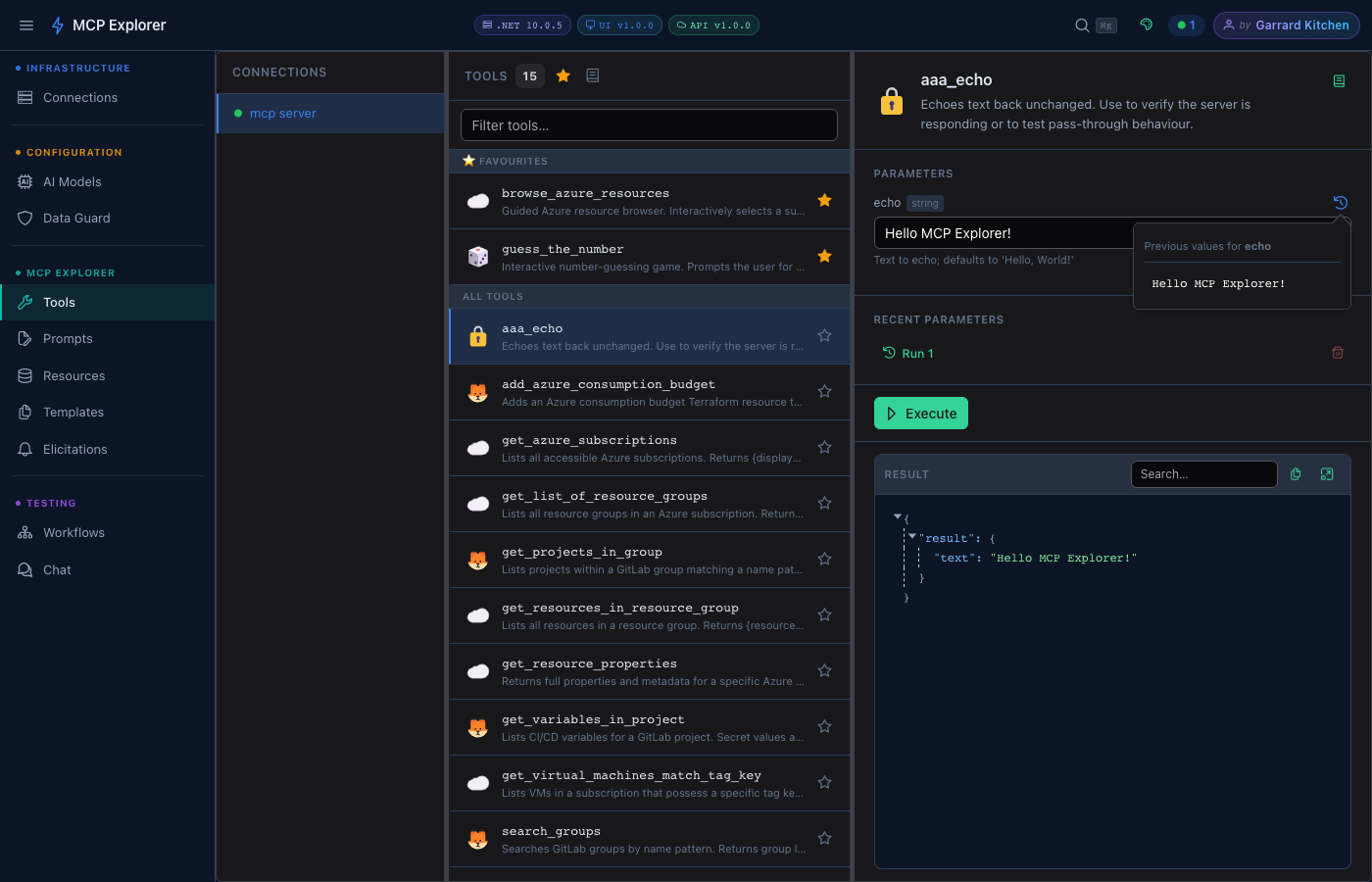
19 Killer Features
Everything a developer needs to explore, debug, and build on top of MCP servers.
Streaming Chat with Auto Tool Calling
Real-time SSE-streamed AI conversations where the LLM automatically invokes MCP tools mid-response. Tool inputs, outputs, and token usage are shown inline — no black boxes.
Learn more →Workflow Builder with Load Testing
Chain MCP tools into multi-step pipelines, pass outputs between steps, track every run in history, and stress-test your server with concurrent load tests — all from the browser.
Learn more →Sensitive Data Protection
Heuristic + regex detection of secrets, API keys, JWTs, and passwords in tool parameters and chat messages. AES-256 encryption at rest. Configurable masking rules. Show/hide toggle on demand.
Learn more →Azure-Powered Authentication
Pick client secrets directly from Azure Key Vault and client IDs from Entra App Registrations — all via a searchable UI. Tenant ID and scope are auto-populated. No copy-pasting credentials ever.
Learn more →MCP Connections
Connect to MCP servers over Streamable HTTP with custom headers, OAuth credentials, and Azure auth. Import/export encrypted connection sets to share with your team.
Learn more →10 Persisted Themes
Command Dark/Light, Nord, Dracula, Catppuccin Mocha, Solarized Light, GitHub Dark/Light, Material Dark/Light — each persisted per user. Switch with zero friction.
Learn more →Command Palette + Slash Commands
⌘K / Ctrl+K command palette for instant keyboard-first navigation. Slash commands in chat for quick actions — /prompt, /clear, /help. Designed for developer speed.
Learn more →Multi-Provider LLM Support
OpenAI, Azure OpenAI, Azure AI Foundry, Ollama, LM Studio, and any OpenAI-compatible endpoint. API keys are masked with show/hide toggle. Switch models per conversation.
Learn more →Dynamic Tool Parameter Forms
Tool parameter forms are generated from JSON Schema automatically — strings, numbers, booleans, enums (radio or dropdown), objects, and arrays all have native controls. No manual form building.
Learn more →Prompts with LLM Pipeline
Execute MCP prompts with dynamic arguments and pipe results directly into Chat — enabling prompt → LLM analysis pipelines in two clicks. Favourites persist across sessions.
Learn more →Single-Container, Zero Dependencies
One Docker image, one volume mount, done. No database, no external services. Also supports docker compose for separate frontend/backend deployment. Runs anywhere Docker runs.
Learn more →Dev Tunnels — Webhook Signal Deck
Create public HTTPS callback URLs via the devtunnel CLI, capture every incoming webhook request in real time, scrub back through history, and replay any event to any target. Built-in tool smart-fill populates webhookUrl parameters automatically.
HTTP API Explorer
Manage plain HTTP connections under Infrastructure, invoke endpoints with runtime {placeholder} template inputs, inspect full request/response history in tabbed views, and run regression collections with schema-diff badges — all without leaving the browser.
CLI (mcp-http)
A cross-platform .NET global tool for terminal automation. Script HTTP API invocations, schema comparisons, collection runs, and API import/export. Plus an mcp branch to list connections, tools, resources, prompts, templates, and invoke tools — all from the command line.
YAML MCP Runbooks
Declare MCP connections, auth, steps, and parameters in a single YAML runbook file and execute with one CLI command for repeatable automation.
Learn more →Scheduled MCP Execution
Run MCP tool chains a fixed number of times, or at a frequency over a time window, directly from YAML to support test loops and lightweight automation.
Learn more →Step Output Chaining
Pass one MCP call result into the next using template tokens like {{ steps.stepId.property }} to build secure, declarative pipelines.
Certificate-Based Azure Auth
Ditch client secrets: generate a self-signed certificate inline while creating a connection and push its public key to the Entra App Registration in one click — with live step-by-step progress. Token requests are signed locally with ClientCertificateCredential; the private key (0600, git-ignored, audit-logged) never leaves your machine.
One-Click Certificate Renew & Rotate
Expiry toasts and a topbar badge warn you 30 days out. One click generates a successor, re-uploads it to every App Registration, repoints every referencing connection, and flags stale key credentials in Azure for cleanup — ordered so a partial failure never breaks a working connection.
Learn more →Quick Start
Up and running in under 2 minutes.
Pull & Run
Single container — no compose file needed.
docker run -d \
  -p 8090:8080 \
  -v mcp-data:/app/data \
ghcr.io/your-username/mcp-explorer-x:latestOpen the App
Navigate to the Connections page.
http://localhost:8090Add a Connection
Enter your MCP server URL (Streamable HTTP).
Name: My MCP Server
URL:  http://localhost:3000/mcp
Type: Streamable HTTPExplore
Browse Tools, Prompts, Resources, or open Chat.
# Use Ctrl+K to jump anywhere
# instantly from the keyboardReady to explore your MCP servers?
One Docker command and you're live. No accounts, no setup, no friction.